Setting Canva Website Page as Your Shopify Homepage
How can you set your Canvify page as your Shopify homepage? Lets find out quickly!
Before you begin, make sure the Canva design you want to use has already been imported through the Canvify app.
-
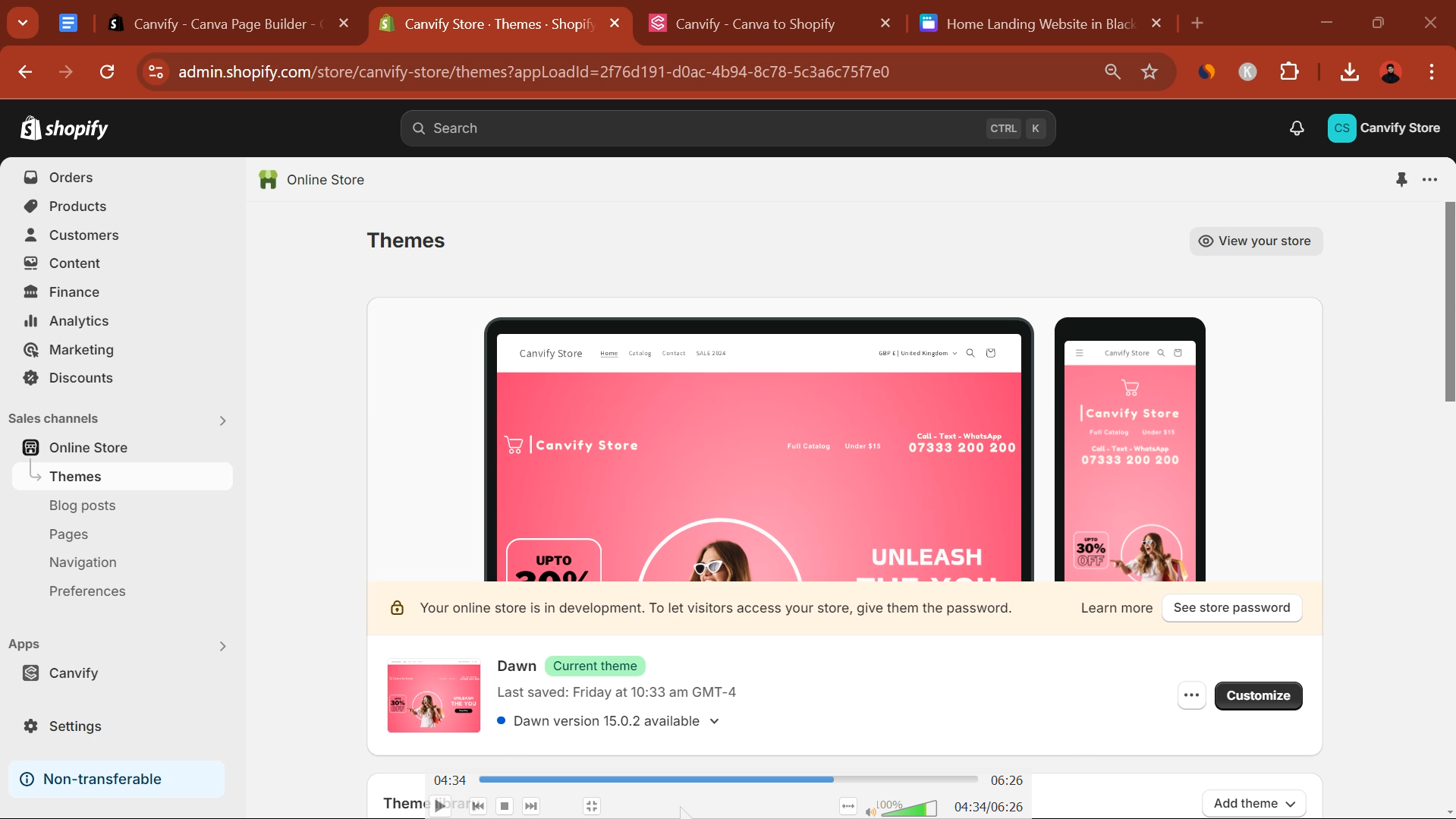
- Go to your Shopify Admin > Online Store > Themes.
-
- Click the “Edit Theme” button.
-
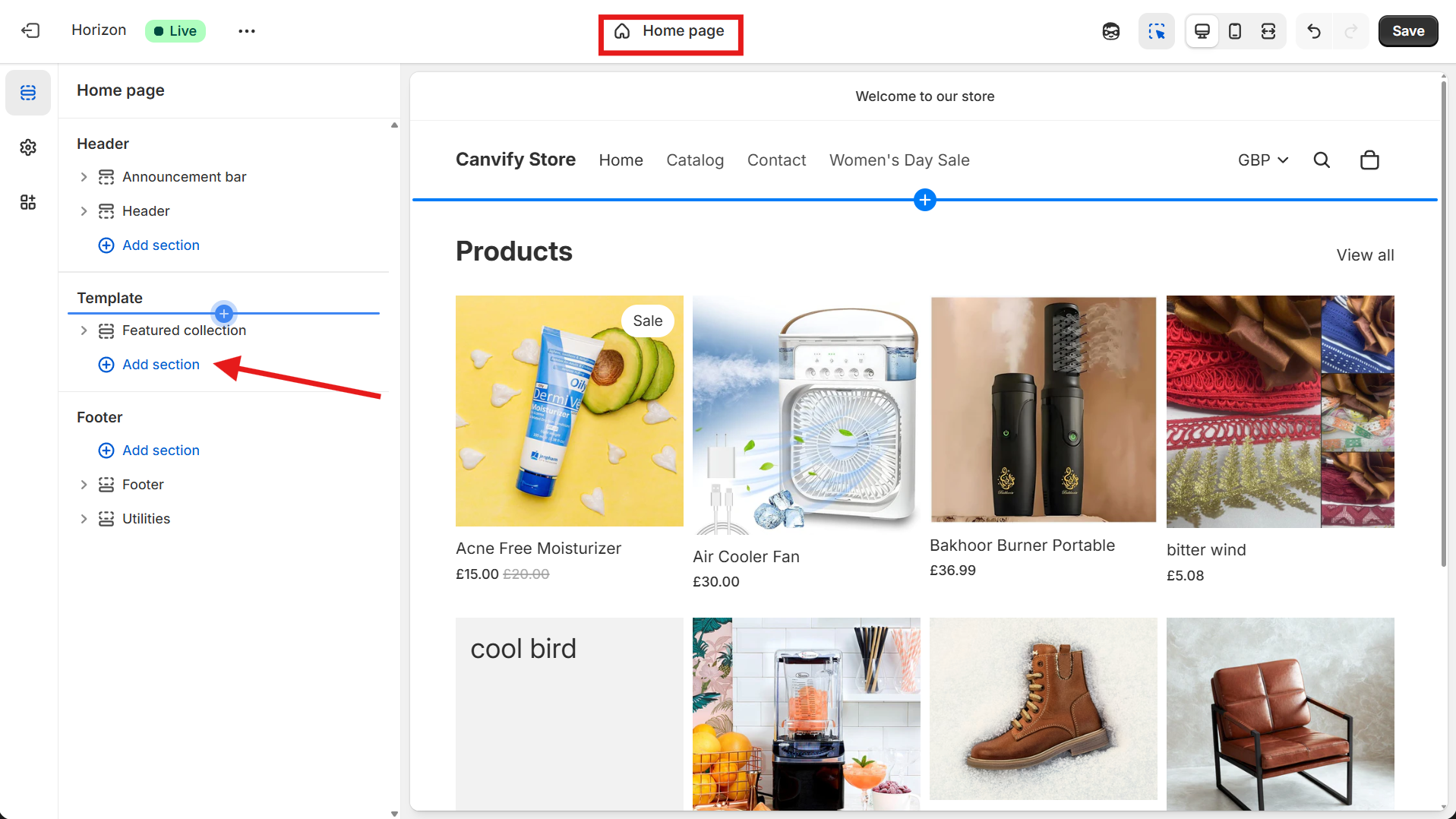
- Select “Home Page” from the dropdown on top.
-
- Click “Add section” from the options on the right. Select “Canvify Page” from the list.
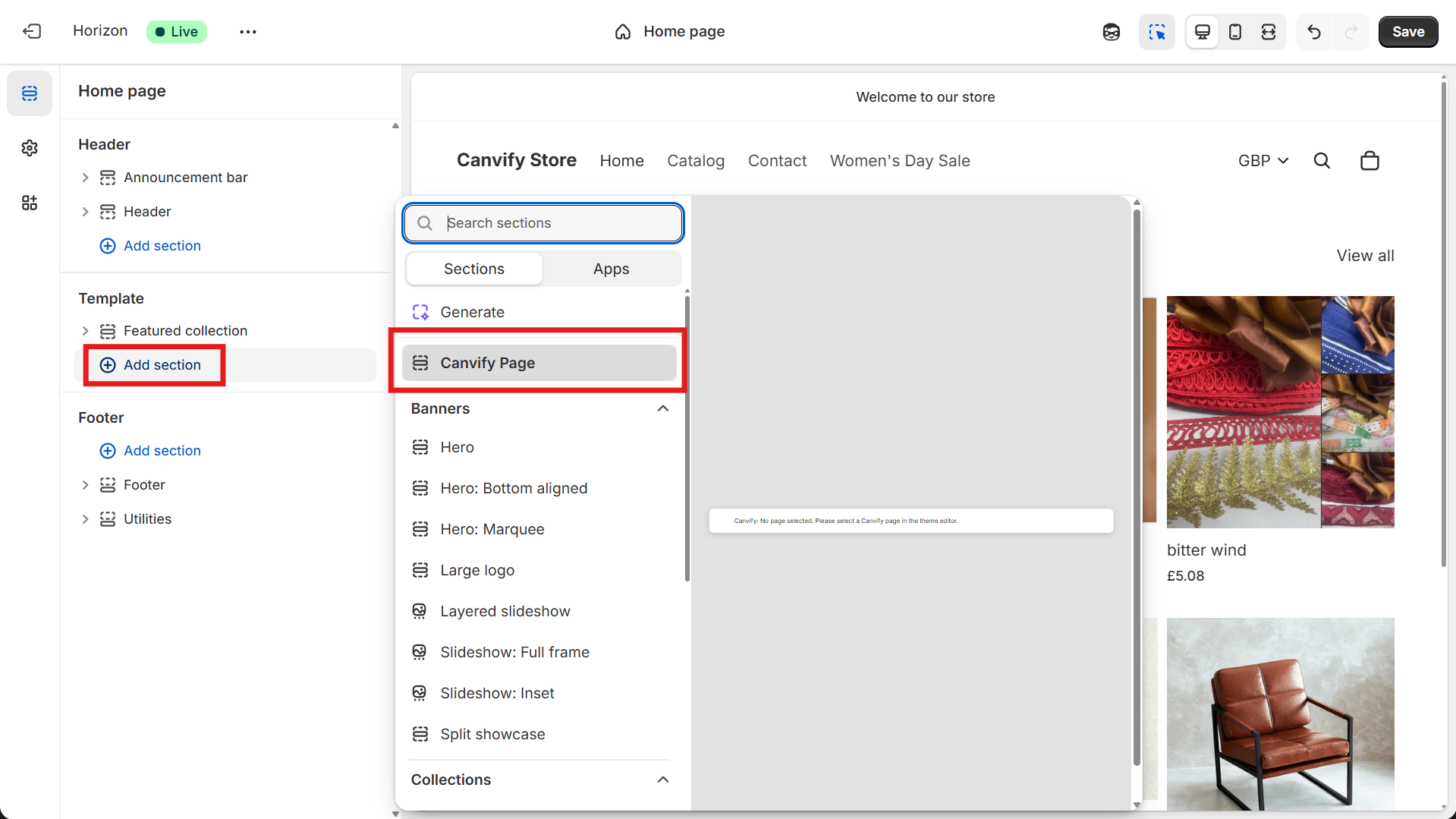
- Click “Add section” from the options on the right. Select “Canvify Page” from the list.
-
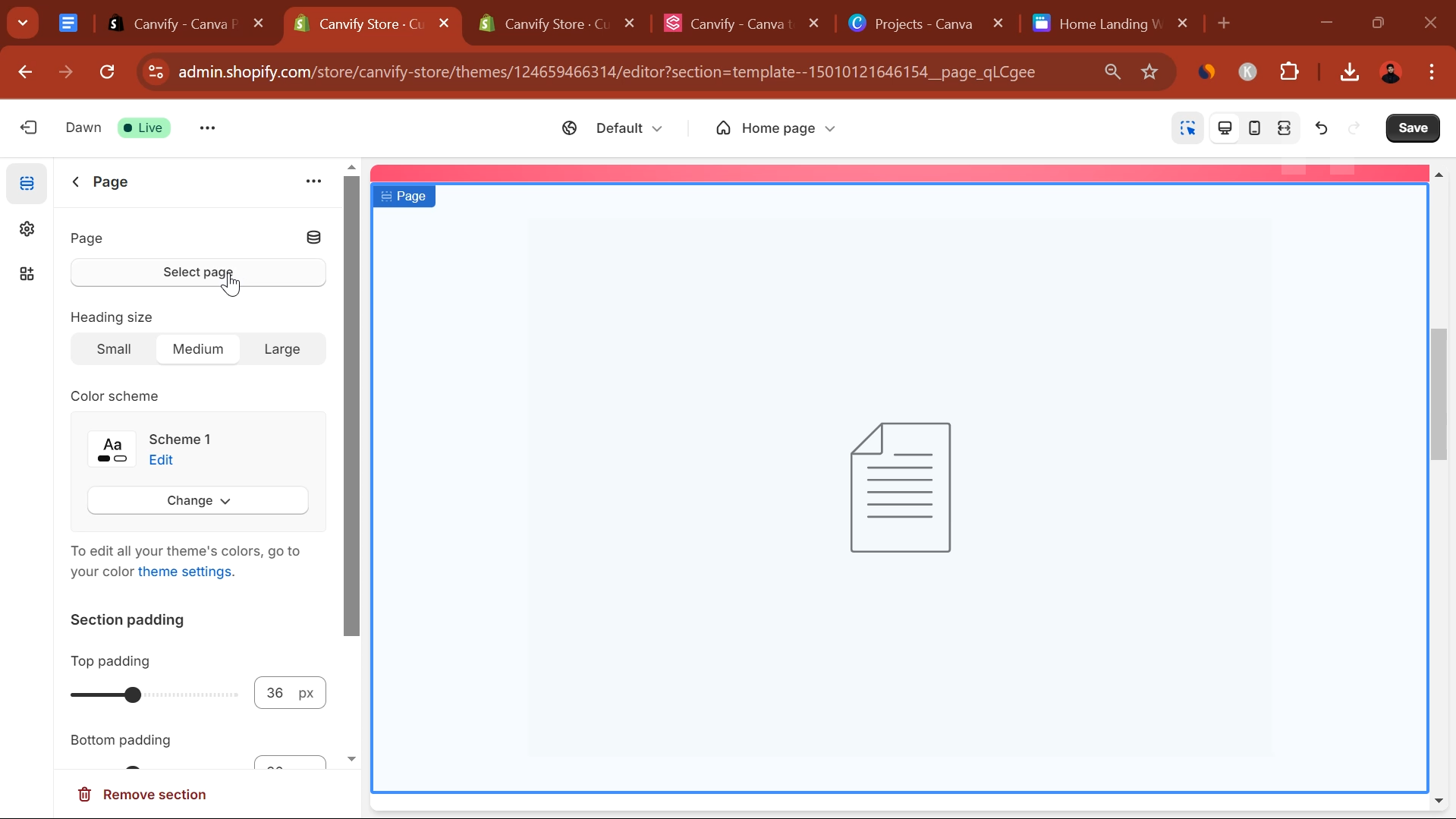
- Click “Select page” from the panel on the right. Search the name of your imported page and select it.
-
- Click the “Save” button to update changes after reviewing them.

Done! 🎉 Your Canva-designed page is now set as your Shopify homepage.
Fun fact: You can add your Canvify page to existing Shopify pages like homepage, about us, collections etc.
This process allows you to quickly customize your store’s main landing page with a design you created in Canva, giving you full control over your store’s look and feel.